Euphonic Reverb began as an idea for a module in the FX Console: a versatile, clear reverb that could nail the expected room, plate, and hall sounds and also form a foundation for wild experimentation within the console. Once the core engine was finished, new features followed that made it worthy of inclusion in the Boutique Series. Altogether, Euphonic Reverb includes a host of features that make getting the perfect reverb sound fast and easy, whether that sound is classic or experimental.
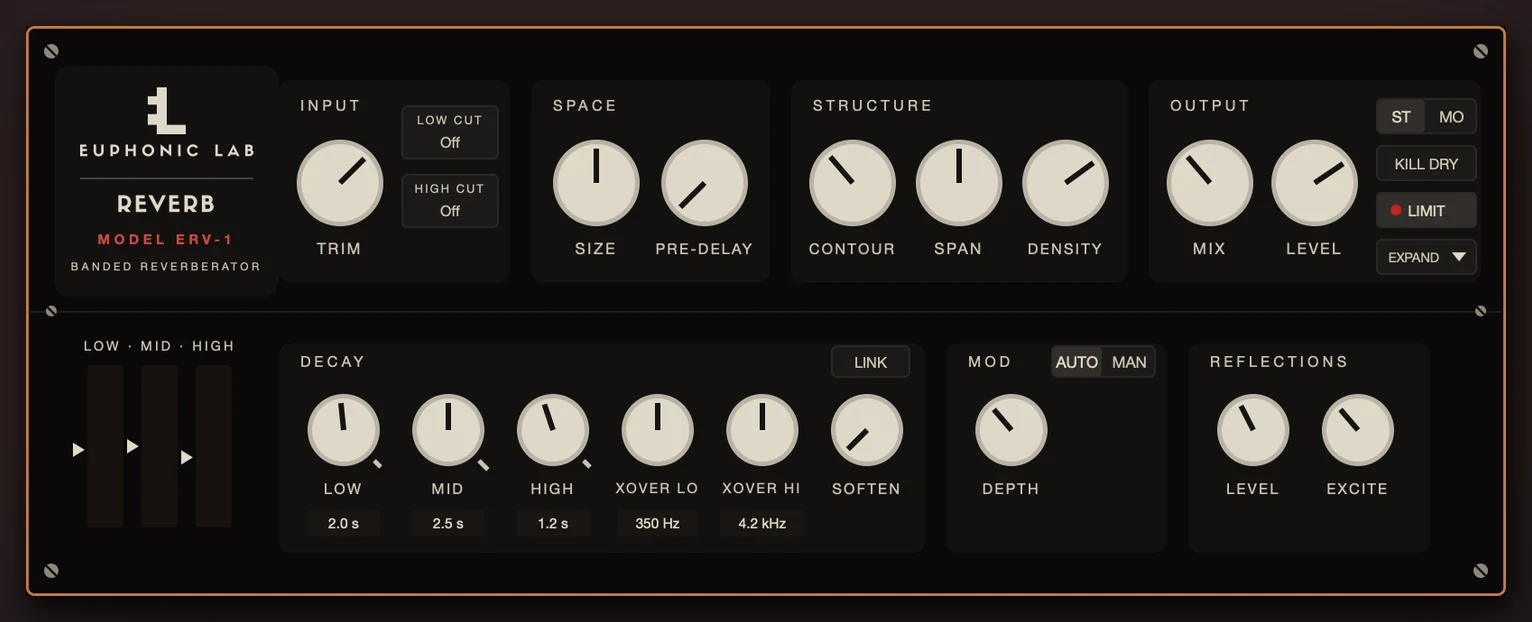
The core sound is set by adjusting the Input, Space, and Structure settings. Filter the input signal with high cut and low cut filters. Adjust how large the space sounds with Size. Structure sets the characteristics of the early reflections.
Inspired by classic digital reverbs of the 70s and 80s, the decay time can be set independently per frequency band with full control over the crossover. Soften adds a gentle resonance detector that can reduce harsh frequencies in the decay. The Mod section has a simple Depth control with the option to manually set the mod rate and the shape of the LFO. Early reflections get their own, independent Level and Excite controls to determine how much of the early reflections enter the decay path.
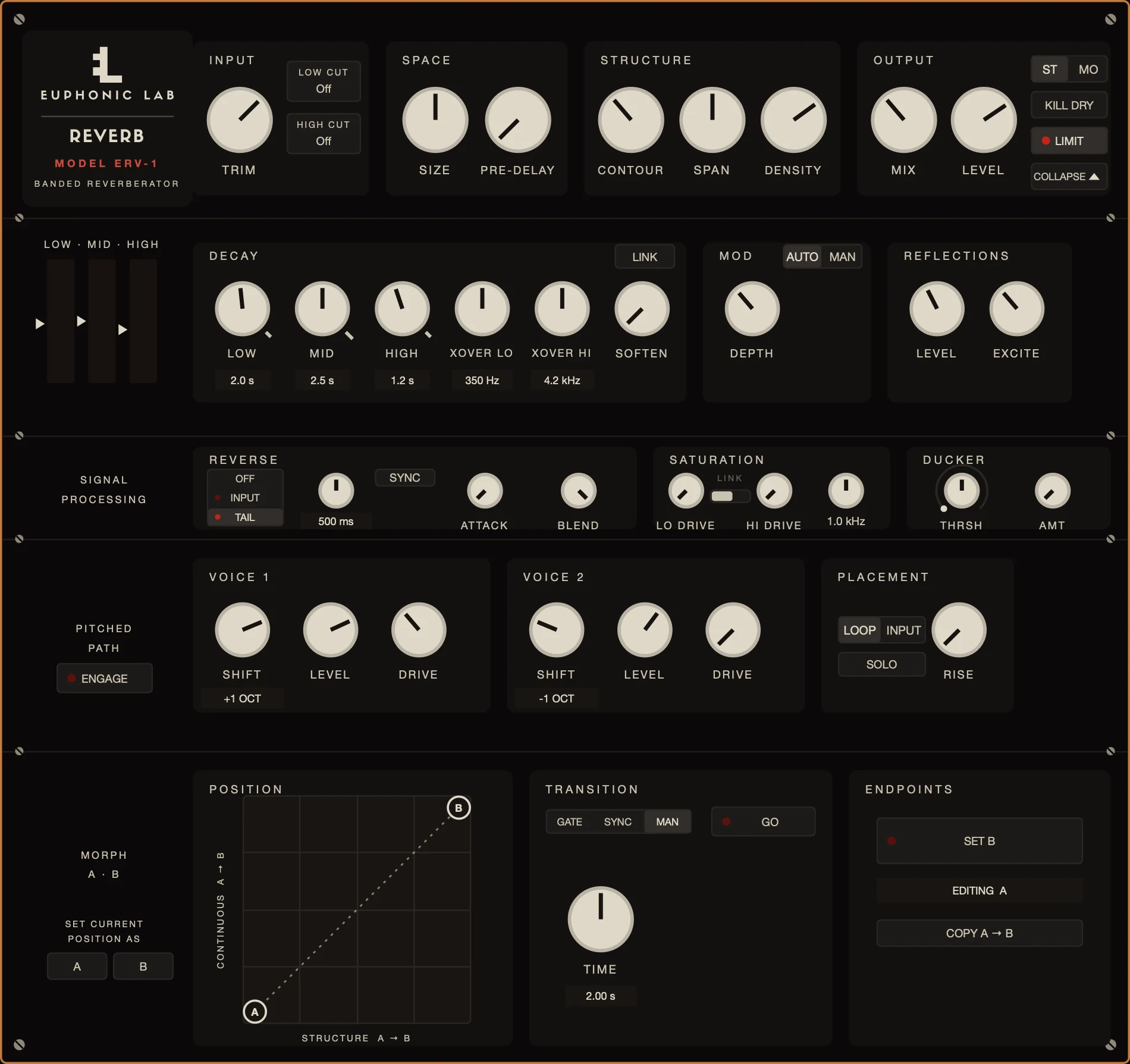
The advanced features provide even more versatility. The Signal Processing section includes Reverse, which can slice either the input signal or the reverb tail into reversed clips. Attack and Blend controls can smooth out the reversed samples and blend them with the non-reversed input. The Saturation section allows the lows and highs to be driven independently with full control over the crossover frequency. The Ducker makes it easy to move the reverb out of the way during a vocal passage.
Morph is where the plugin comes alive. Engage the “Set B” button and create a completely different setting for the Reverb. Add a saturated upper octave, increase the Size, and push the mid decay so that it stops just shy of a drone. Now, switch back to A and morph between the two settings manually or in sync with the tempo. Want the B setting to trigger only when a particular section starts playing or a big snare hits? Switch it to Gate mode.
The Morph Pad takes it further. Grab either the A or B marker and move it around to find the perfect in-between sound. The best sound often lands somewhere in between the two positions. The X and Y axes move different parameters so a position in the top left sounds completely different from the bottom right. Best of all, when you find that perfect setting, you can easily snap all the knobs and lock in the sound by pressing Set Current Position As A or B.
Sections of this plugin are available as modules in the FX Console, where they can be wired to sections of any other effect.
Reverb
Versatile reverb with different decay time for each frequency band.
Soften
Automatic resonance softener.
Pitch
Classic dual-voice pitch shifter.
Available soon.
Notify me at launch